Order Desk can connect to your Bright Orders account and automatically download orders then send shipment details back as orders are fulfilled.
Setup
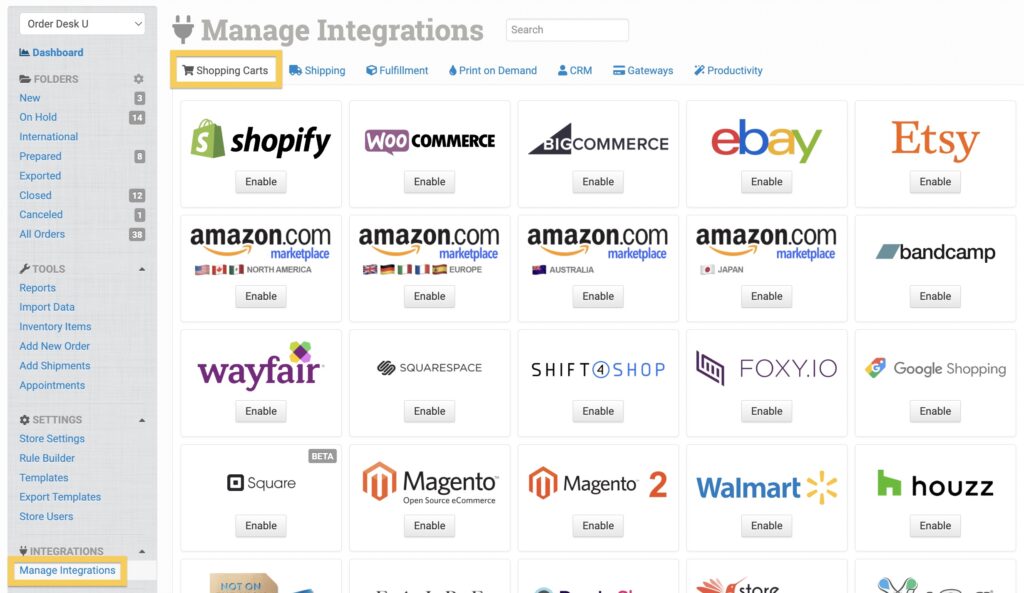
In Order Desk, click on Manage Integrations under the Integrations menu in the left sidebar. Under the Shopping Carts tab, find and enable Bright Orders.
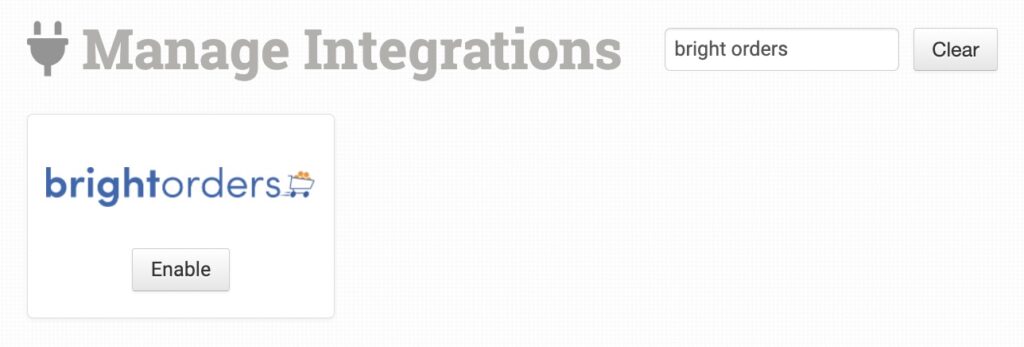
Alternatively, search for Bright Orders from the available integrations search.
Once enabled, enter your store’s domain and API Token and click to connect.
Please note that Order Desk isn’t able to help find or reset your credentials, as they can only be provided by BrightStores.
Settings
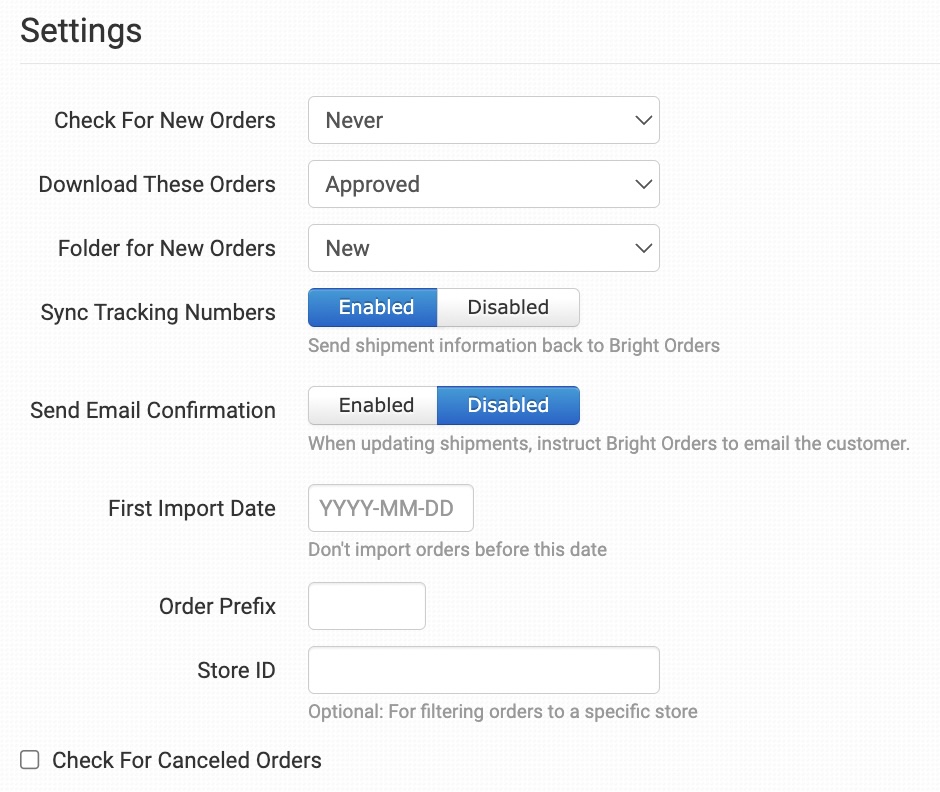
Once connected, you can set your integration preferences.
Check for New Orders
Select how often you want Order Desk to look for and download new orders from Bright Orders.
Download These Orders
Select the types of orders you want Order Desk to download from Bright Orders.
Folder for New Orders
Select the folder where newly imported orders from Bright Orders should be placed.
Enable this setting if you want Order Desk to send shipment details back to Bright Orders as they are added to your orders in Order Desk.
Send Email Confirmation
Enable if you want Bright Orders to email the customer a shipment notification as tracking is sent back on orders.
First Import Date
Any orders previous to the date set here will not import into Order Desk.
Order Prefix
If you need to, you can add a prefix of your choice that will be added to all orders downloaded from Bright Orders.
Store ID
To only import orders from specific Bright Orders stores, add the IDs here, separated by a comma.
Check for Canceled Orders
Select to run a check every 24 hours for any orders that have been canceled within Bright Orders.
Manually Import Orders
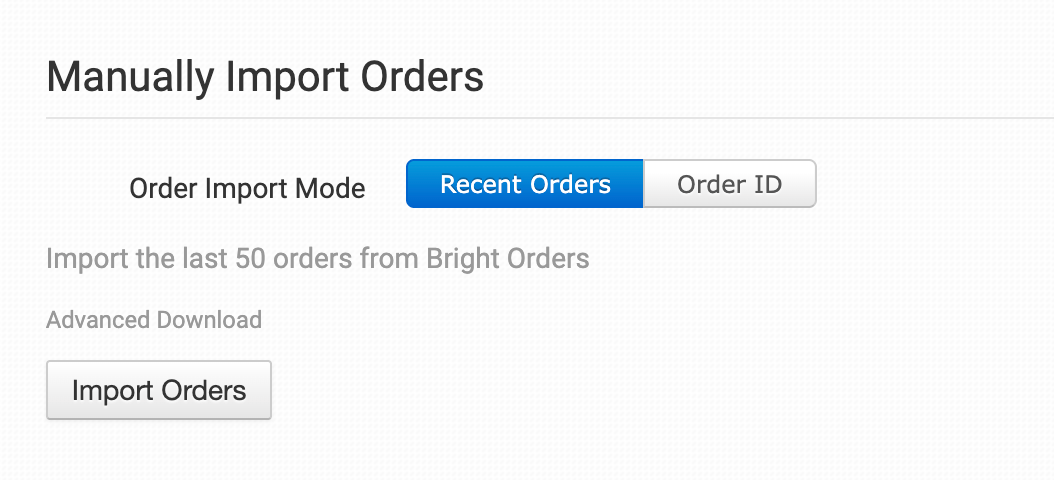
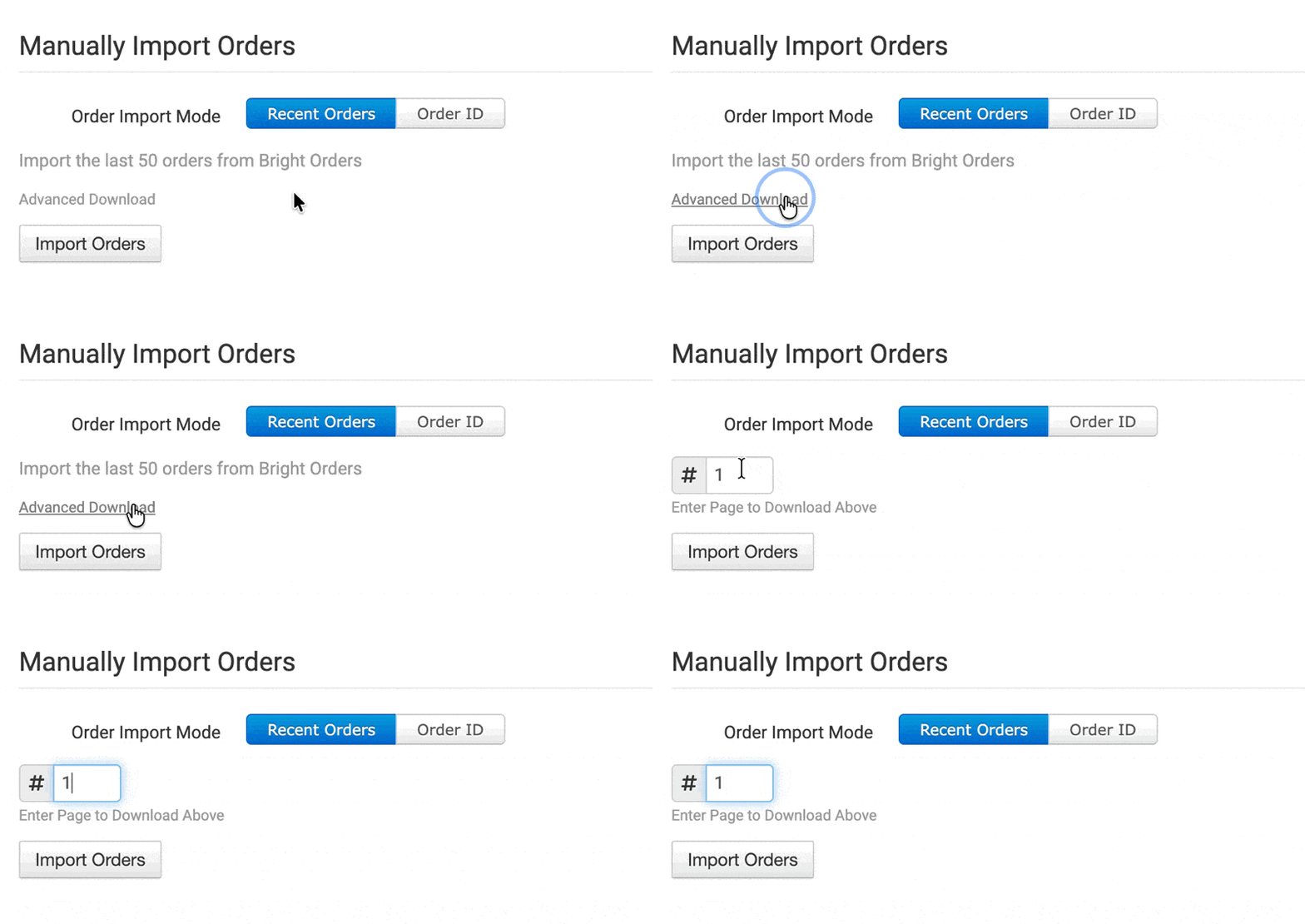
You can manually import orders from Bright Orders at any time. You can import recent orders in bulk, or import by a specific Order ID if you only need to import one order.
Tip: Advanced Download
If you want to import more orders from Bright Orders, you can use the Advanced Download option to paginate through the list of recent orders available to import.
Need Help?
If you have any questions about any of the information in this guide, we’re here to help!